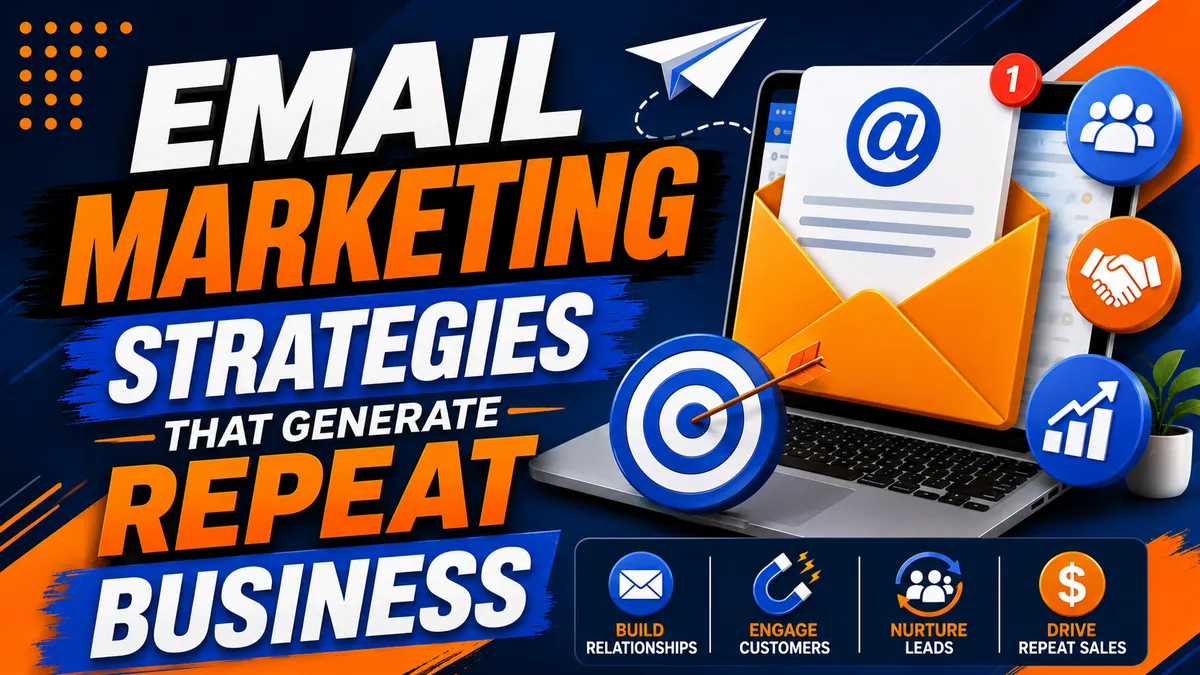
Email Marketing Strategies That Generate Repeat Business
Paralegals live and die by their email. I've said it a hundred times and I'll keep saying it. They've got the case software open on one side of the screen and the inbox open on the other, all day long. That inbox is the closest thing you've got to a permanent spot on their desk.
So here's the verdict up front. For a process serving company, email isn't about blasting newsletters. It's about being the name that pops up when a paralegal searches her inbox for "process server" at 4:30 on a Friday. Do that, and the repeat work takes care of itself.
Attorneys, collection agencies, property managers, and corporate legal departments all tend to stick with a vendor once they find one who delivers. Winning new clients matters. Keeping the ones you have is what actually grows the business. Let's get into how email does that.
Why Email, and Why Repeat Business
On social media, an algorithm decides who sees your post. Email goes straight to the person. Whether you're following up on a finished serve, sharing a law change, or announcing a new county you cover, it lands where they work.
Here's why that matters. Many law firms use the same vendors for years. Once an attorney finds a server who gets it done, they usually keep calling that server. I've told the story before about the attorney who said "one job" and kept sending me work after that. That's the whole game. You're not trying to win every new client in town. You're trying to stay the obvious choice for the ones who already trust you.
Good email does a few things for you:
Keeps you visible between jobs
Builds trust and shows you know your stuff
Makes referrals easier, because people can forward you
Gives clients a reason to come back
Makes communication with attorneys and firms smoother
Build Your List the Right Way
Start with people who actually know you. Your list might include:
Current attorney clients and their paralegals
Law firms you've talked to on the phone
Collection agencies
Property management companies
Insurance defense firms
Referral partners and other servers you trade work with
Website inquiries
People you met at networking events
A cold list doesn't know you. The list that pays is built one phone call at a time.
Here's how I'd do it. Call the firm, be nice to whoever picks up, and ask if you can send over your rate sheet in case they ever need a backup. Almost every time, they'll say, "Yeah, of course. Let me give you my email." Why? Because they live and die by their emails. Now you're not spam. You're the person they just talked to.
You can also offer something useful to get people to sign up on their own, like a state service checklist or a plain-English rundown of a rule change.
Segment Your Audience
Not everybody needs the same email. A family law office doesn't care about a commercial eviction update. Split your list into groups like:
Civil litigation firms
Family law attorneys
Debt collection firms
Real estate attorneys and property managers
Corporate legal departments
High-volume clients
New prospects
Existing customers
When the email actually applies to their practice, people read it.
Make the First Email Count
The first email after a phone call sets the tone. Here's what mine looks like. A merge field for their first name. "It was great speaking to you on the phone today. As promised, my rate sheet is attached." A link so they can order online. A short list of what I handle. And a personal line from the call so they remember me.
Keep it short and sweet at the top. Tell them right away what to do with it. If they want to know more, they'll keep reading.
And watch the tone. I caught myself once typing "Hi, Haley!!" Two exclamation points. I don't need two exclamation points. One is friendly. Two is a little too excited.
Send the rate sheet as a PDF
Please, I'm begging you, don't send your rate sheet as a picture. Send it as a PDF. Paralegals actually open PDFs. They download them. They print them out. An image gets ignored.
Name the file like a professional
Name that PDF something like "ABQ Server, Michael Reid, Process Server Rate Sheet." It looks professional, and here's the bonus: it's searchable. When they search their email to find a server, you show up.
Put your counties in the email
This one is genius, and I can't tell you how many jobs I've gotten from it. Put the county names right in your email. Something like, "Providing service of process, skip tracing, and document retrieval in Bernalillo, Santa Fe, Torrance, and Valencia counties."
Here's why. When a paralegal gets a job in Valencia County, she types "Valencia" into her inbox search and hits enter. If your email is the one with Valencia in it, you're the one who shows up.
Give them a way to order online
Some people are what I call the Amazon shopper. They don't want to call. They want to click and order. So give them a link to order online right in the email. I had a guy order eight jobs over two days off one of those emails. Make it easy for people to give you money.
What to Write About
Attorneys get a pile of email every day, so yours has to be worth opening. Lead with value, not a sales pitch. Topics that work:
Changes in your state's service rules
Court filing updates
How to prepare good service instructions
Substituted service, explained simply
Deadline reminders
Common mistakes that delay a serve
Safety tips from the field
Answers to questions clients ask you all the time
A short story from a recent job, with no names or case details
Look at what other companies in our industry send out. One of the big software companies sends a short email every couple of weeks or once a month. The articles aren't super detailed, but the topics are interesting to process servers, so people open them. Study what works and do it better.
Subject Lines
The subject line decides whether it gets opened. Clear beats clever. A few examples:
New Service Rules for Your State
Five Ways to Avoid Delays in Service of Process
Is Your Current Process Server Meeting Court Deadlines?
Skip Tracing Tips That Save Time
How Our Rush Service Helps With Tight Deadlines
For a first email after a call, I like "Thank you for the opportunity." It assumes the sale, in a polite way.
Subject lines that promise something useful usually do better than ones that sound like an ad. Test a couple and see what your list responds to.
Automate the Routine Stuff
You can't hand-type every email and still serve papers. Automation handles the repetitive messages so they go out on time without you thinking about it. Common ones:
Welcome email for a new contact
New client onboarding
Job completion follow-up
Affidavit delivery notice
Review request
Referral thank-you
Monthly newsletter
Check-in for clients who've gone quiet
There's an old saying: the fortune is in the follow-up. It's true. Put every contact in your CRM, set a task for when you'll follow up, and actually do it. That's how a phone call that went to voicemail turns into a client six months later.
Follow Up After Every Job
A lot of companies finish a job and move straight to the next one. That's a missed chance. A short follow-up after the serve can include:
Confirmation that service is done
A thank-you for the business
When and how they'll get the affidavit
A link to other services you offer
A request for feedback or a review
How to send the next job
Always give them proof. The follow-up email is a great place to remind them it's on the way, or attached.
Teach More Than You Sell
The emails that get read are the ones that help. If every email is a coupon, people tune out. Mix in things like:
How substituted service works
Court deadline reminders
State rule updates
Electronic service developments
How to write service instructions that get jobs done faster
Filing mistakes to avoid
That positions you as the expert, and the expert is who they call.
Tell Them What Else You Do
Clients often don't know everything you offer. Email is a good place to mention:
Skip tracing
Court filing
Mobile notary or remote online notarization
Document retrieval
Rush and same-day service
Coverage in other counties or states through your network
One note: if you mention anything like surveillance or investigation work, check your state's licensing rules first. In many states that's licensed territory.
Personalize It
Personal is more than "Hi, first name." Use what you know:
Firm name
Practice area
Location and the counties they file in
What you've served for them before
How they like to communicate
And put something human in there. When I wrote my first email to one property manager, I mentioned I was new to Albuquerque and invited her and her team to lunch. That's what people remember.
Keep a Steady Schedule
Show up regularly without flooding them. For most process serving companies, something like this works:
One educational email a month
A legal update when something real changes
Quarterly service announcements
A holiday thank-you
An occasional client success story, with permission
Some people will unsubscribe. That's okay. It's not a big deal. And your old emails are still sitting in their inbox if they ever search for a process server.
Watch the Numbers
Track how your emails do so you know what to send next time:
Open rate
Click-through rate
Conversion rate (did they order?)
Bounce rate
Reply rate
Unsubscribe rate
I like using a system that shows me when someone opens my email. It tells you how many times they opened it and what time. If a paralegal opened my rate sheet three times this morning, that's a good time to call.
Be Professional With Legal Clients
Attorneys are held to a high standard, and they expect the same from their vendors. Write clearly. Skip the hype. Respect their privacy and their clients' privacy. Never put case details or a served person's information in a marketing email.
And keep the tone right even when money is involved. If you've agreed on monthly billing, don't fire off "where's my payment" emails at day 20. That poisons the well. Be professional, and the work keeps coming.
Follow the Law
Commercial email in the U.S. is covered by the federal CAN-SPAM Act, and there's no exception for business-to-business email. Per the FTC's compliance guide, your marketing emails can't use false or misleading header information or deceptive subject lines. They have to clearly disclose that they're an ad, include your valid physical postal address, and give people a clear way to opt out. You have to honor an opt-out within 10 business days. And if you hire someone to send your emails, you're still responsible. The FTC says each separate violating email can carry a penalty of up to $53,088.
A message that only confirms or updates a job the client already ordered is generally treated as a transactional or relationship message, which is exempt from most of the rules. But once you add a promotion up front, it can become a commercial message. Read the FTC's CAN-SPAM guide for business and check whether any state rules apply to you.
Best Practices Checklist
Get permission before you add someone
Keep emails short and useful
Make sure they read well on a phone
One clear call to action
Personalize when you can
Send on a steady schedule
Test subject lines
Review the numbers
Keep contact info current
Follow CAN-SPAM and any state rules
For Attorneys and Firms Hiring a Server
If you're on the hiring side, here's what to look for in a server's email:
A real business email address, not a free personal account
A rate sheet you can download and save
The counties and states they cover, in writing
A follow-up after every job that tells you where the affidavit is
No pushy daily emails
The server who emails you like a professional is usually the one who serves like a professional.
Where Mighty Process Server and Mighty Automation Fit
I built my own tools because I couldn't find anything that let me run my business the way I wanted.
Mighty Process Server is where my jobs live. Every plan includes job details and the affidavit, so when a job is done, I know it's done and I can follow up right away. On the Premium plan, Accounting and Customers keep my client list organized, Brand Tools help me look professional, and Dashboard Analytics show me how the business is doing. The Free plan covers up to 25 assigned jobs a month so a small independent server can get started.
Mighty Automation (mightyautomation.com) is where I run my CRM and follow-ups.
The goal is simple. Spend less time on repetitive marketing and more time serving papers and growing the company.
The Bottom Line
Get their email on a real phone call. Send a short, professional first email with a PDF rate sheet, your counties, and a way to order online. Follow up after every job. Teach more than you sell. Stay on a steady schedule. And follow the law.
Do that, and you're not just a vendor. You're the name that pops up when they search.
Stay sharp. Stay informed. Live Mighty!
Read the full article at www.mightyprocessserver.com
This article is published by Process Server Daily, powered by MightyAutomation.ai, the leader in legal support intelligence.