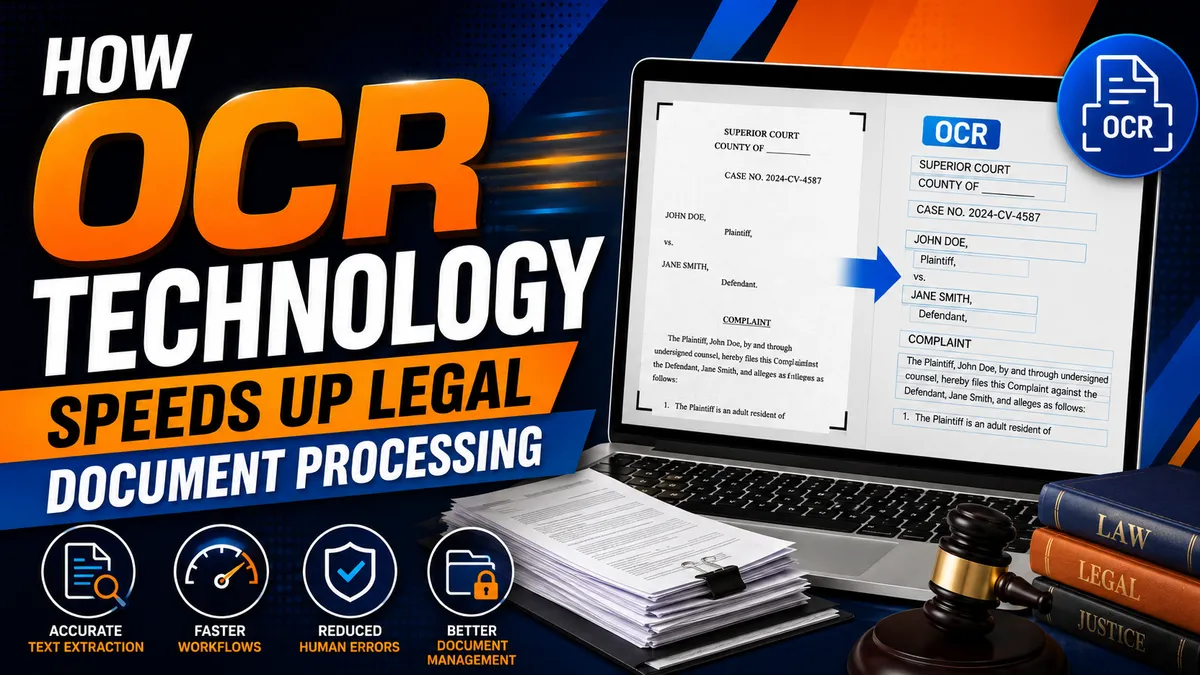
How OCR Technology Speeds Up Legal Document Processing
Legal teams handle enormous volumes of information every day. Summonses, complaints, subpoenas, affidavits, court orders, contracts, proofs of service, discovery materials, and case correspondence all contain data that must be reviewed, organized, stored, and retrieved accurately.
When those documents arrive as scanned PDFs, photographs, or paper files, manual processing can quickly become a bottleneck. Staff may have to retype case numbers, names, addresses, filing dates, and other details before the information can be used in a case management system.
Optical Character Recognition (OCR) technology changes that process by converting scanned documents and images into machine-readable, searchable text. For law firms, process servers, courts, and legal support companies, OCR can reduce repetitive data entry, accelerate document retrieval, and create more efficient digital workflows.
This guide explains how OCR technology speeds up legal document processing, where it provides the most value, and what legal organizations should consider when implementing OCR.
What Is OCR Technology?
Optical Character Recognition, commonly called OCR, is technology that recognizes text contained within scanned documents, photographs, and image-based PDF files and converts it into machine-readable information.
Without OCR, a computer may treat a scanned court document as little more than a picture of a page. The words are visible to a person, but software may not be able to search, copy, index, or process them.
OCR creates a text layer that can make the document searchable and, depending on the software, can also extract specific information for use elsewhere.
For example, OCR software may recognize:
Case numbers
Plaintiff and defendant names
Court names
Service addresses
Filing dates
Hearing dates
Document titles
Attorney information
That information can then be reviewed, indexed, exported, or transferred into other legal technology systems.
How Does OCR Work?
Although OCR platforms vary, legal document OCR processing generally follows several stages.
First, a paper document is scanned or an existing PDF or image is uploaded. The software analyzes the page to identify areas containing text and other document elements.
The OCR engine then recognizes characters, words, numbers, and, in more advanced systems, the structure of the document.
After recognition, the resulting text can be indexed for search or passed to data-extraction software. Some platforms can identify specific fields and route that information into document management, case management, or workflow systems.
A simplified OCR workflow looks like this:
Document received → image processed → text recognized → information extracted → human review → data indexed or transferred
That final review step remains important, particularly when extracted information affects court deadlines, service instructions, party identification, or other legally significant actions.
Why OCR Matters in the Legal Industry
Legal organizations routinely receive documents such as:
Summonses and complaints
Subpoenas
Court orders
Affidavits
Proofs and returns of service
Contracts
Eviction notices
Deposition transcripts
Discovery materials
Service instructions
Court filings
Correspondence
Historical case files
Many contain information that must be entered into another system before staff can act on it.
Without automation, employees may have to open each document, locate the relevant fields, copy or type the information, verify it, and then organize the original file.
At scale, those small tasks consume substantial staff time.
OCR technology for legal documents can shorten that process by making incoming files searchable and extracting information automatically. Instead of replacing professional review, OCR gives staff a faster starting point.
7 Benefits of OCR for Legal Document Processing
1. Faster Data Entry
One of the clearest advantages of OCR is reducing repetitive manual entry.
Consider a process serving company receiving hundreds of assignments containing information such as:
Defendant or recipient name
Service address
Case number
Court
Attorney or client
Document type
Service deadline
Special instructions
Entering every field manually can slow assignment intake.
OCR and intelligent document processing tools can identify relevant text and prepopulate fields for staff to verify. This can significantly reduce the time between receiving documents and creating an actionable assignment.
For law firms, similar technology can accelerate matter intake, document indexing, discovery preparation, and other document-heavy processes.
2. Searchable Legal Documents
A scanned PDF without a text layer can be difficult to search.
OCR converts image-based files into searchable legal documents, allowing authorized users to find terms such as a client's name, case number, address, court, date, or other keyword without reading every page manually.
This capability becomes particularly valuable in:
Large litigation files
Multi-page court records
Discovery productions
Archived matters
Deposition transcripts
Historical paper files
Making documents searchable can dramatically reduce the amount of time spent locating information.
3. More Consistent Data Capture
Manual data entry creates opportunities for mistakes.
Common errors include:
Transposed case numbers
Misspelled party names
Incorrect addresses
Missing dates
Duplicate records
Information entered into the wrong field
OCR does not eliminate errors, and extracted data should be validated when accuracy is legally significant. However, automation can reduce repetitive retyping and create a more standardized method of capturing information.
This is particularly valuable when organizations process large numbers of documents using the same workflow.
4. Better Document Organization
OCR can also support automated indexing.
Instead of relying entirely on employees to manually name and categorize every file, document-processing software may use recognized information to help classify records according to attributes such as:
Case number
Client
Party
Court
Document type
Filing date
Matter number
Better indexing makes documents easier to locate later and can improve consistency across teams.
5. Faster Document Review
Attorneys and legal staff often need to locate a specific fact buried within hundreds or thousands of pages.
Searchable OCR text can allow them to search for names, phrases, dates, addresses, and other terms rather than manually reviewing every page.
OCR therefore supports faster initial review of document collections and can make large digital case files easier to navigate.
OCR results should not automatically be treated as an authoritative substitute for the source document, however. When a detail matters to a legal decision, professionals should verify it against the original.
6. Reduced Dependence on Paper
OCR can play an important role in digitizing historical legal records.
Organizations can scan older paper files and convert them into searchable electronic documents, potentially reducing:
Physical storage requirements
Manual filing
Duplicate paper copies
Time spent retrieving archived files
Dependence on a single physical location
Digitized records can also support authorized remote access when appropriate security controls are in place.
7. Better Workflow Automation
OCR becomes particularly powerful when connected to other legal technology.
Once a system can recognize and extract information from a document, that information may be used to initiate downstream actions.
Depending on the organization's software and review requirements, an OCR-enabled workflow might:
Receive a court document.
Identify the case number and parties.
Classify the document.
Extract the service address.
Populate an assignment record.
Route the assignment for review.
Trigger the next approved workflow step.
This is why OCR is increasingly important to legal document automation. It turns otherwise static scanned files into information that software can use.
OCR for Process Servers
OCR can be especially useful for process serving companies because assignments frequently arrive as document packages containing information that must be converted into operational data.
A process server or administrative team may need to identify:
Recipient names
Service addresses
Case numbers
Court jurisdictions
Document types
Filing or hearing dates
Client instructions
Attorney information
Traditionally, employees may need to read those documents and manually enter the details into process serving software.
OCR for process servers can help extract that information automatically and present it for verification before an assignment is dispatched.
How OCR Can Improve Process Serving Workflows
OCR-enabled systems may help process serving companies with:
New assignment intake
Document classification
Address extraction
Case number capture
Digital file organization
Proof-of-service preparation
Record indexing
Searchable document archives
Case management integrations
For high-volume process serving operations, even modest reductions in manual processing time per assignment can translate into meaningful operational savings.
OCR for Law Firms and Legal Departments
The benefits extend well beyond process serving.
Law firms can use OCR to transform scanned litigation files, client documents, contracts, exhibits, and correspondence into searchable digital records.
Common OCR benefits for attorneys and legal teams include faster information retrieval, improved matter organization, easier document review, reduced manual entry, and more efficient collaboration.
OCR can also help organizations digitize older paper archives so that historical documents become easier to retrieve when needed.
OCR for Court Documents
Court records frequently contain critical information distributed across many pages and document types.
Using OCR for court documents can make scanned records searchable by terms such as:
Party name
Case number
Judge
Court
Filing date
Hearing date
Address
Motion type
This can help attorneys, paralegals, researchers, and legal support professionals locate relevant information more efficiently.
The quality of the source document still matters. Older scans, handwritten material, stamps, unusual fonts, skewed pages, and poor image quality can reduce recognition accuracy.
OCR vs. Intelligent Document Processing
OCR and intelligent document processing are related, but they are not exactly the same.
Traditional OCR primarily answers the question:
What text appears on this page?
Intelligent document processing goes further by attempting to determine:
What does this information represent, and what should happen with it?
For example, OCR might recognize the text:
August 28, 2026
A more advanced document-processing system might determine that the date represents a hearing date and place it into the appropriate case-management field.
Modern systems may combine OCR with artificial intelligence, machine learning, document classification, natural language processing, and rules-based automation.
For legal organizations, this combination can be considerably more useful than simple text recognition alone.
OCR and Legal Document Security
Legal documents can contain confidential, personal, financial, and otherwise sensitive information. As a result, security should be an important consideration when selecting and deploying an OCR platform.
Depending on the organization's needs, useful controls may include:
Encryption in transit and at rest
Role-based access controls
Multi-factor authentication
Audit logging
Permission-based document sharing
Data retention controls
Secure backups
Administrative access management
Organizations should also understand where documents are processed and stored, which vendors or subprocessors may have access, and how uploaded information is retained or deleted.
Using OCR does not remove an organization's existing confidentiality, privacy, cybersecurity, or records-management responsibilities.
OCR and Legal Compliance
OCR can support compliance by making records easier to organize, retrieve, search, and audit.
However, OCR itself does not guarantee compliance.
Legal organizations should establish procedures covering issues such as:
Document retention
Access permissions
Quality control
Data privacy
Confidentiality
Secure deletion
Backup and recovery
Verification of critical extracted information
Retention and privacy obligations can vary by jurisdiction, client requirements, document type, and applicable professional rules. Legal organizations should therefore design OCR workflows around the requirements that apply to their specific operations.
How Accurate Is OCR for Legal Documents?
OCR accuracy depends heavily on the source material and software being used.
Recognition generally performs better when documents have:
Clear printed text
High-resolution scans
Straight page alignment
Strong contrast
Standard fonts
Clean backgrounds
Accuracy may decline with:
Handwriting
Poor-quality photocopies
Faded text
Stamps over text
Unusual formatting
Skewed pages
Damaged documents
Complex tables
This is why human verification remains essential for legally significant data.
An OCR system may accelerate processing, but important information such as names, addresses, case numbers, deadlines, and court information should be checked before staff rely on it for consequential actions.
Choosing OCR Software for a Law Firm or Process Serving Company
Organizations evaluating OCR software for legal documents should look beyond recognition accuracy alone.
Important capabilities may include:
Searchable PDF creation
Batch processing
Automated data extraction
Document classification
Handwriting recognition, when required
API availability
Case management integration
Document management integration
Mobile scanning
Audit logs
Access controls
Encryption
Configurable retention policies
Workflow automation
Scalability is also important. A solution that works for a small number of documents should still perform efficiently if processing volume increases substantially.
Best Practices for Legal OCR
Technology alone will not create an effective OCR workflow. The quality of the underlying process matters just as much.
Legal organizations should consider the following practices:
Use high-quality source documents. Clear, properly aligned scans generally produce better recognition results.
Establish verification procedures. Require human review for critical fields before information triggers consequential legal or operational actions.
Standardize document intake. Consistent scanning, naming, and upload procedures make automation easier.
Protect sensitive information. Apply appropriate encryption, authentication, access controls, and retention policies.
Integrate OCR with existing systems. Connecting OCR to document and case management platforms can eliminate unnecessary re-entry.
Measure accuracy and exceptions. Track recognition failures and correction rates to identify where workflows need improvement.
Maintain source documents. Preserve authoritative originals when required by applicable law, court rules, client requirements, or organizational policy.
How OCR Can Reduce Legal Document Processing Time
The biggest productivity gain from OCR is not necessarily that a computer can read faster than a person. It is that information can be captured once and reused throughout a digital workflow.
Consider a service-of-process assignment.
Without OCR, an employee might manually read the documents, type the defendant's name, enter the address, copy the case number, identify the court, categorize the documents, upload the files, and create the assignment.
With an integrated OCR workflow, the system may recognize much of that information automatically and present it to an employee for verification.
The staff member moves from data entry to quality control.
That shift can reduce repetitive work, shorten intake time, and allow employees to focus on exceptions and assignments that require professional judgment.
The Future of OCR in Legal Services
OCR is increasingly becoming one component of a broader intelligent document-processing ecosystem.
As artificial intelligence and machine learning improve, legal document systems are likely to become better at:
Classifying documents automatically
Extracting information from complex forms
Recognizing handwriting
Understanding document structure
Identifying relationships between documents
Detecting missing information
Routing documents into appropriate workflows
The important distinction is that these technologies should augment legal professionals rather than remove appropriate oversight.
The strongest systems combine automation for repetitive work with human judgment for consequential decisions.
For law firms, courts, process servers, and legal support organizations, that combination offers a practical path toward faster and more scalable document operations.
Frequently Asked Questions About OCR in Legal Document Processing
What does OCR mean in legal technology?
OCR stands for Optical Character Recognition. It converts text contained in scanned documents, photographs, and image-based PDFs into machine-readable text that can be searched, indexed, copied, and processed by software.
How does OCR speed up legal document processing?
OCR reduces the need to manually retype information from documents. It can recognize and extract names, case numbers, addresses, dates, court information, and other data so staff can verify the results instead of entering everything from scratch.
Can OCR read court documents?
Yes. OCR can process many scanned court documents and make them searchable. Recognition accuracy depends on scan quality, formatting, handwriting, stamps, and other characteristics of the original document.
Can process servers use OCR?
Yes. Process serving companies can use OCR to accelerate assignment intake, extract service addresses and case information, organize documents, create searchable archives, and support integrations with process serving software.
Is OCR 100% accurate?
No. OCR accuracy varies according to the software and quality of the source material. Important legal information should be verified against the source document before it is used for consequential actions.
Can OCR integrate with legal case management software?
Many OCR platforms offer APIs or built-in integrations that allow extracted information to flow into document management, case management, and workflow automation systems. Available integrations depend on the specific products being used.
Is OCR secure for confidential legal documents?
OCR can be used securely when appropriate safeguards are implemented. Legal organizations should evaluate encryption, access controls, authentication, audit logging, data retention, storage location, vendor practices, and other security considerations before processing confidential information.
Conclusion: OCR Is Becoming Essential to Efficient Legal Document Processing
OCR technology is helping modernize legal document processing by turning scanned pages into searchable and actionable digital information.
For attorneys and law firms, OCR can accelerate document retrieval, indexing, review, and matter management. For process servers, it can streamline assignment intake, extract critical service information, and reduce repetitive administrative work. For legal support organizations, it can help transform paper-heavy workflows into structured digital processes.
OCR is most effective when paired with strong security controls, reliable integrations, standardized procedures, and human verification of critical information.
As OCR, artificial intelligence, and intelligent document processing continue to develop, legal organizations that use these technologies effectively can spend less time retyping information and more time performing the work that requires professional expertise.
Stay sharp. Stay informed. Live Mighty!
Read the full article at www.mightyprocessserver.com
This article is published by Process Server Daily, powered by MightyAutomation.ai, the leader in legal support intelligence.