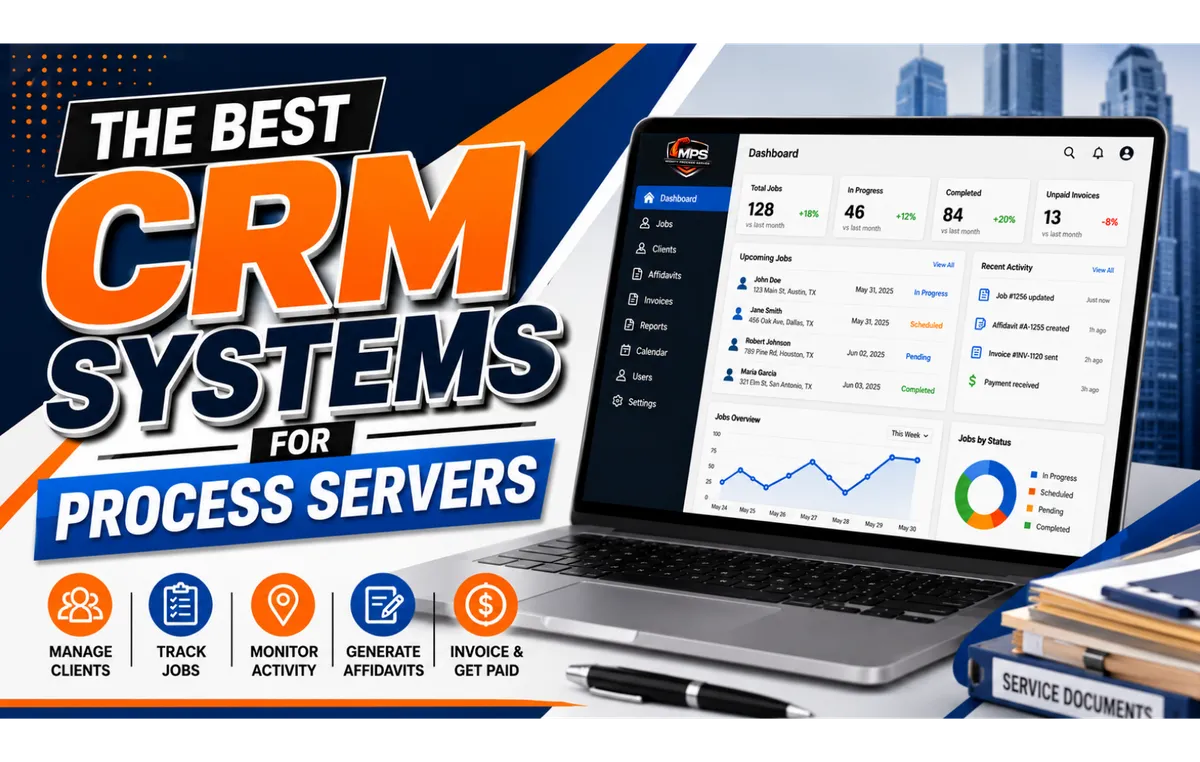
Best CRM for Process Servers: Top Software, Features & How to Choose
Running a successful process serving business requires much more than delivering legal documents. Process servers must manage clients, organize service requests, dispatch assignments, track attempts, maintain case records, communicate with law firms, generate affidavits, manage invoices, and monitor deadlines.
As job volume increases, managing these responsibilities through spreadsheets, email threads, disconnected apps, or paper files can quickly become inefficient.
That is where CRM software for process servers can make a significant difference.
A modern process server CRM centralizes client information, case activity, documents, communications, billing, scheduling, and reporting. The right platform can reduce administrative work, improve client communication, and give business owners better visibility into their operations.
In this guide, we explore the best CRM systems for process servers, the features to look for, how general CRM platforms compare with process-serving-specific software, and why specialized solutions such as Mighty Automation may offer advantages for legal support businesses.
What Is a CRM for Process Servers?
CRM stands for Customer Relationship Management. CRM software helps businesses organize customer information, track interactions, automate workflows, and manage relationships throughout the customer lifecycle.
For a process serving company, however, CRM requirements often extend beyond traditional sales and contact management.
A CRM for process servers may help manage:
Attorneys, law firms, businesses, and private clients
Service of process orders
Cases and jobs
Defendant or recipient information
Service attempts and status updates
Process server assignments
Court and legal documents
Affidavits and proofs of service
Client communications
Scheduling and reminders
Invoices and payments
Operational reporting
Instead of switching between spreadsheets, email, accounting software, calendars, document storage systems, and other applications, process serving businesses can use a centralized platform to manage more of their workflow.
Why Do Process Servers Need CRM Software?
Process serving is deadline-driven and documentation-intensive. A missed assignment, outdated address, incomplete service note, or delayed client update can create unnecessary problems for both the process server and the client.
The right process serving business CRM can help create a more organized workflow from order intake through completion.
Centralize Client Information
A CRM provides one place to maintain information about law firms, attorneys, property managers, corporations, government agencies, and private clients.
Staff can quickly review contact information, previous assignments, communications, invoices, and other relevant account details.
Track Active Service Jobs
Instead of manually checking spreadsheets or email threads, teams can track jobs according to their current status.
Depending on the platform, statuses might include:
New order
Awaiting documents
Ready for assignment
Assigned
Attempted
Additional attempt required
Served
Unable to serve
Affidavit pending
Completed
This visibility becomes increasingly valuable as a company handles more assignments.
Improve Client Communication
Clients frequently want to know whether an attempt has been made, whether service was successful, and when documentation will be available.
CRM automation can help provide timely status updates without requiring staff to manually send an email after every activity.
Reduce Administrative Work
Repetitive tasks such as sending confirmations, updating clients, creating invoices, assigning follow-ups, and generating documents can consume substantial staff time.
Workflow automation can reduce these manual processes and allow employees to focus on higher-value work.
Improve Accountability
Centralized records make it easier to determine who received an assignment, when an attempt occurred, what information was entered, and what action should happen next.
For legal support businesses, accurate records are especially important.
Essential CRM Features for Process Servers
Not every CRM is designed for legal support operations. A traditional sales CRM may be excellent at managing leads but lack the tools needed to manage service attempts, affidavits, dispatching, and legal documents.
When comparing the best CRM software for process servers, consider the following capabilities.
1. Case and Job Management
Process servers need more than a basic contact database.
A useful system should make it easy to:
Create and track service assignments
Organize cases and jobs
Record service attempts
Add notes
Update statuses
Maintain service instructions
Attach relevant documents
Review assignment history
The goal is to create a complete record of each job from intake through completion.
2. Client Management
A strong CRM should maintain detailed client profiles for attorneys, law firms, legal departments, property managers, businesses, and private clients.
Useful information may include:
Contact information
Billing details
Open assignments
Completed jobs
Communication history
Documents
Payment history
Client-specific instructions
Centralizing this information can make client service faster and more consistent.
3. Dispatch and Assignment Tracking
For agencies managing multiple field servers, dispatch capabilities are particularly important.
Managers should be able to see which jobs are assigned, who is responsible for them, their current status, and which assignments require additional attention.
4. Mobile Access
Process servers spend much of their working day in the field.
A mobile-friendly process server CRM can allow field servers to review assignments and submit information without returning to the office.
Depending on the system, mobile capabilities may include:
Viewing job details
Reviewing service instructions
Entering attempt notes
Updating job statuses
Uploading photographs
Accessing documents
Communicating with office staff
5. Document Management
Process serving generates significant documentation.
A CRM should provide organized, secure access to documents such as:
Summonses
Complaints
Subpoenas
Court orders
Service instructions
Affidavits
Proofs of service
Attempt records
Photographs
Supporting documents
Fast document retrieval can save considerable administrative time.
6. Affidavit and Proof-of-Service Generation
Specialized process serving software may provide document-generation capabilities that traditional CRM platforms do not.
Automating affidavit or proof-of-service preparation can reduce repetitive data entry and help create more consistent records.
Documents should still be reviewed for accuracy and compliance with the applicable court and jurisdictional requirements.
7. Automated Email and SMS Updates
Clients increasingly expect visibility into their assignments.
Automated notifications can potentially be triggered when:
An order is received
A job is assigned
An attempt is recorded
Service is completed
An affidavit becomes available
An invoice is generated
Additional information is required
Automation can improve communication while reducing routine office work.
8. Calendar, Tasks, and Reminders
Scheduling tools can help teams manage:
Service attempts
Follow-up dates
Assignment deadlines
Court-related deadlines
Client follow-ups
Internal tasks
Document preparation
Automated reminders can reduce the likelihood that important tasks are overlooked.
9. Billing and Payment Tracking
A process serving CRM becomes even more useful when operational activity can connect with billing.
Useful capabilities include:
Invoice generation
Payment tracking
Outstanding balance monitoring
Client billing history
Job-level charges
Accounting integrations
Combining operational and financial information gives owners a clearer picture of business performance.
10. Reporting and Analytics
Process serving companies can use reporting tools to measure metrics such as:
Number of active jobs
Completed serves
Successful service rates
Average completion time
Client activity
Revenue
Outstanding invoices
Assignment volume
Staff productivity
These insights can help business owners identify bottlenecks and make more informed decisions.
Best CRM Systems for Process Servers
There is no single CRM that is best for every process serving business. The right choice depends on company size, workflow, budget, required integrations, and how much customization the business is willing to manage.
Here are several options process servers may consider.
Mighty Automation: Process Server CRM and Workflow Management
Mighty Automation, offered through Mighty Process Server (MPS), is designed specifically around the workflows used by process servers and legal support businesses.
Unlike a general-purpose CRM that may require extensive customization, Mighty Automation combines client relationship management with process serving operations.
The platform is designed to help manage the workflow from receiving an order through assignment, service attempts, documentation, client updates, billing, and completion.
Mighty Automation Features
Features include:
CRM for attorneys, law firms, legal support companies, and private clients
Branded online order forms
Job and case management
Dispatch and assignment tracking
Job status updates
Mobile-friendly access for field process servers
Affidavit generation
Document management
File uploads and cloud storage
Automated email notifications
SMS notifications
Workflow automation
Task reminders
Invoice generation
Payment tracking
Business reporting and analytics
Integration with the Mighty Process Server Directory
Why Specialized Process Server CRM Software Matters
General CRM software is usually built around sales pipelines, marketing, and conventional customer relationships.
Process serving businesses have different operational requirements.
For example, a process serving workflow may look like this:
Order received → documents uploaded → job reviewed → server assigned → attempt recorded → client updated → service completed → affidavit generated → invoice issued → payment tracked
A specialized platform can structure its workflow around these steps rather than requiring a business to build them from scratch.
For growing agencies, this can reduce the amount of customization and manual administration required to operate the system.
Clio
Clio is a well-known legal practice management platform designed primarily for law firms.
Its capabilities can include client management, matter management, document organization, billing, calendaring, and other legal practice functions.
Potential Advantages
Designed for the legal industry
Strong matter and client management capabilities
Document management
Billing and payment tools
Integrations with other business applications
Potential Limitations for Process Servers
Because Clio is primarily designed for law firms rather than process serving companies, businesses may need additional tools or workflows for functions such as field dispatch, service-attempt tracking, and process-server-specific affidavit generation.
Salesforce
Salesforce is one of the most established general-purpose CRM platforms and offers extensive customization, automation, reporting, and integration capabilities.
Potential Advantages
Highly customizable
Powerful workflow automation
Extensive reporting
Large integration ecosystem
Suitable for complex organizations
Potential Limitations for Process Servers
The flexibility of Salesforce can also make implementation more involved. Process serving businesses may need to configure custom objects, workflows, dashboards, and integrations before the system reflects their operational processes.
It may therefore be better suited to larger organizations with the resources to configure and administer a customized CRM environment.
Zoho CRM
Zoho CRM is a popular option for small and midsize businesses seeking contact management, automation, analytics, and sales workflow capabilities.
Potential Advantages
Broad CRM functionality
Workflow automation
Reporting tools
Integration with other Zoho products
Can support growing businesses
Potential Limitations for Process Servers
Zoho CRM is a general business platform rather than dedicated process serving software. Specialized functions such as service-attempt management, dispatch, affidavit creation, and legal document workflows may require customization or additional applications.
PracticePanther
PracticePanther is legal practice management software designed to help legal professionals manage matters, contacts, billing, documents, calendars, and related administrative tasks.
Potential Advantages
Legal-industry focus
Matter management
Billing capabilities
Document organization
Calendar and task management
Potential Limitations for Process Servers
Like other law-practice platforms, PracticePanther is primarily designed around law firm operations. A process serving company should determine whether its dispatch, field-service, service-attempt, and proof-of-service workflows can be accommodated efficiently.
General CRM vs. Process Server CRM: What's the Difference?
A general CRM is typically designed to manage leads, contacts, sales opportunities, marketing campaigns, and customer relationships.
A process server CRM needs to manage operational legal-service workflows as well.
That distinction can affect implementation.
With a general CRM, a process serving company may need to create custom workflows for:
Service orders
Recipient information
Attempt tracking
Dispatch
Server assignments
Affidavits
Proofs of service
Client status updates
Job completion
Legal document storage
A purpose-built platform can incorporate these functions into the system's standard workflow.
CRM Integrations for Process Servers
Integrations can significantly increase the value of a CRM.
Depending on the business and platform, useful CRM integrations for process servers may include:
Online order forms
Accounting software
Payment processors
Email platforms
SMS services
Calendar applications
Electronic signature software
Cloud document storage
Legal practice management systems
Workflow automation tools
Integration reduces duplicate data entry and helps information move between systems more efficiently.
For example, information submitted through an online order form could create a new job automatically rather than requiring an employee to manually re-enter the client's information.
Benefits of CRM Software for Process Serving Companies
Implementing the right CRM can provide several benefits.
Better Organization
Client information, documents, service records, notes, and communications can be maintained in one centralized system.
Faster Client Updates
Automated notifications and centralized job information can make it easier to respond to clients quickly.
Reduced Manual Data Entry
Automation and integrations can reduce repetitive administrative work.
Improved Collaboration
Dispatchers, office staff, managers, and field servers can work from the same current information.
Better Business Visibility
Dashboards and reports can help owners understand assignment volume, completion times, revenue, outstanding invoices, and other performance indicators.
Greater Scalability
Standardized workflows can make it easier to handle increased assignment volume without increasing administrative work at the same rate.
How to Choose the Best CRM for Your Process Serving Business
Before purchasing CRM software, evaluate how the system will fit your actual workflow.
Ask these questions:
Is the software designed for process serving or general business use?
Can it manage jobs as well as client relationships?
Does it support dispatch and server assignments?
Can field servers use it easily from mobile devices?
Can service attempts be recorded efficiently?
Does it support document storage and management?
Can it generate affidavits or proofs of service?
Does it provide automated client notifications?
Can it manage invoices and payments?
Does it integrate with tools we already use?
What security and access-control features are available?
Can reports measure the KPIs that matter to our business?
How difficult will implementation and staff training be?
Can the platform scale as assignment volume increases?
What is the total cost, including customization and integrations?
A CRM with hundreds of features is not necessarily the best choice. The strongest platform is the one that solves the operational problems your company encounters every day.
How to Implement a CRM for a Process Serving Company
Choosing software is only the beginning. Successful CRM implementation requires a structured approach.
1. Map Your Existing Workflow
Document what currently happens from the moment a client submits an order until the assignment is closed and paid.
Identify repetitive tasks, bottlenecks, duplicate data entry, and communication gaps.
2. Define Your Requirements
Determine which capabilities are essential and which are optional.
For example, a solo process server may prioritize job tracking, client communication, document storage, and invoicing. A larger agency may require dispatching, employee permissions, automated workflows, analytics, and integrations.
3. Clean Existing Data
Before migrating data, remove duplicates and outdated records. Standardizing client names, contact information, and case data can prevent problems in the new system.
4. Configure Workflows
Build consistent procedures for:
New orders
Assignment
Attempts
Client notifications
Successful service
Unsuccessful service
Affidavit preparation
Billing
Job closure
5. Train Your Team
Everyone should understand how and when information must be entered.
A CRM only provides reliable reporting when users consistently maintain accurate data.
6. Measure Results
After implementation, evaluate whether the CRM is actually improving the business.
Consider monitoring metrics such as:
Administrative time per job
Average job completion time
Client response time
Number of overdue assignments
Invoice processing time
Outstanding receivables
Jobs completed per month
How to Get More Value From Your Process Server CRM
Purchasing software alone does not create efficiency. Businesses need consistent operating practices.
To maximize CRM efficiency for process servers:
Automate repetitive administrative tasks
Standardize job statuses
Keep client information current
Upload documents promptly
Record attempts consistently
Use task reminders for follow-ups
Integrate compatible business applications
Review dashboards regularly
Monitor overdue assignments
Audit workflows periodically
Train new employees on standard procedures
The goal should be to make the CRM the reliable operational record for the business rather than another system employees must maintain alongside separate spreadsheets.
The Future of CRM Software for Process Servers
CRM technology is becoming increasingly automated and intelligent.
Future CRM systems for legal process servers are likely to make greater use of capabilities such as:
AI-assisted data entry
Automated document processing
Intelligent scheduling
Route optimization
Predictive analytics
Automated client communications
Advanced operational dashboards
Smarter workflow triggers
Document classification
Voice-assisted field updates
For process serving companies, the most valuable innovations will be those that reduce administrative work without sacrificing accuracy, security, documentation quality, or human oversight.
Frequently Asked Questions About CRM for Process Servers
What is the best CRM for process servers?
The best CRM depends on the size and needs of the business. General platforms such as Salesforce and Zoho CRM provide broad customization, while legal practice management platforms such as Clio and PracticePanther focus on law firm workflows. Process-server-specific platforms such as Mighty Automation are designed around service orders, dispatch, attempts, affidavits, client updates, billing, and related legal support workflows.
What should process servers look for in CRM software?
Important features include client management, case and job tracking, dispatch, mobile access, document management, service-attempt records, automated notifications, affidavit generation, billing, reporting, and integrations.
Can a general CRM be used for a process serving business?
Yes. General CRM platforms can often be customized for process serving operations. However, businesses should consider the time and cost required to build workflows for dispatch, service attempts, affidavits, legal documents, and other specialized functions.
Is CRM software useful for independent process servers?
Yes. Independent process servers can use CRM software to organize clients, assignments, documents, deadlines, invoices, and communications. Automation can be particularly useful for solo operators who have limited administrative support.
Can CRM software automate client status updates?
Many CRM and workflow platforms can automate email, SMS, or portal notifications based on job activity. Available functionality varies by platform.
How can CRM software help a process serving company grow?
CRM software can support growth by standardizing workflows, reducing repetitive administrative tasks, improving client communication, centralizing business data, and giving owners better insight into operational performance.
Final Thoughts: Choosing the Right Process Server CRM
The best CRM for process servers is not necessarily the biggest or most complicated platform. It is the system that closely matches your workflow, reduces unnecessary administrative work, keeps clients informed, and provides reliable visibility into every active assignment.
General platforms such as Salesforce and Zoho CRM offer extensive flexibility, while legal platforms such as Clio and PracticePanther provide tools designed for law firms and legal professionals.
For process serving companies that want a system built around their specific workflow, Mighty Automation offers a specialized approach by combining CRM, order intake, job management, dispatch, service tracking, document management, affidavit generation, client notifications, billing, and reporting within one platform.
As the process serving industry becomes increasingly digital, businesses that centralize operations and automate routine work will be better positioned to provide fast, transparent, and professional service.
Mighty Process Server (MPS) helps process serving professionals modernize their operations through technology designed specifically for the legal support industry. Explore Mighty Automation to see how a purpose-built process server CRM can help streamline your workflow, improve client communication, and support the growth of your business.
Conclusion
A CRM is no longer just a contact management system. It has become an essential operational tool for modern process serving businesses. The right CRM software for process servers helps organize client relationships, manage legal documents, automate workflows, improve communication, and increase productivity.
While several well-known CRM platforms serve the legal industry, many require significant customization before they meet the needs of process servers. Mighty Automation, developed by MightyProcessServer.com, was designed specifically for process serving professionals. By combining CRM functionality with dispatch management, workflow automation, affidavit generation, document management, invoicing, reporting, and client communication, it provides an all-in-one platform that helps process servers operate more efficiently and grow their businesses with confidence.
Stay sharp. Stay informed. Live Mighty!
Read the full article at www.mightyprocessserver.com
This article is published by Process Server Daily, powered by MightyAutomation.ai, the leader in legal support intelligence.