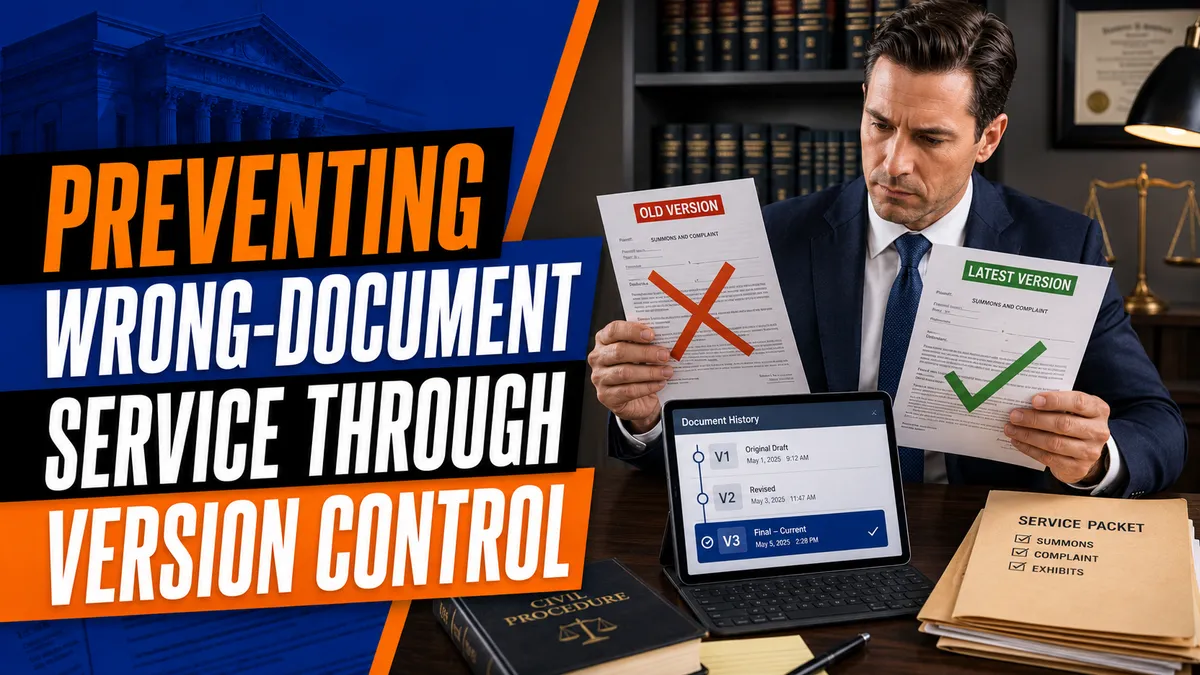
Preventing Wrong-Document Service Through Version Control
Introduction to Document Version Control
Accuracy is essential in legal document service. Even when a process server reaches the correct recipient at the correct address, the service may still create problems if the packet contains an outdated summons, incomplete complaint, incorrect exhibit, unsigned order, or document intended for another defendant.
Document version control is a system for tracking revisions, identifying approved files, and preserving a clear history of document changes. It gives process servers, attorneys, and law firms a reliable way to determine which version is authorized for service.
Strong version control improves process serving accuracy, supports efficient process server operations, and reduces the risk of costly repeat attempts.
What Is Document Version Control?
Document version control records how a legal document changes over time. Each revision can be identified by a version number, update date, approval status, or responsible team member.
A version-control system may show:
When a document was uploaded
Who uploaded or revised it
What changes were made
Which version is currently approved
Whether a file is a draft
Whether a document has been replaced
Which version was downloaded by the server
Which documents were included in the completed service packet
This creates a single source of truth for everyone responsible for managing and serving the documents.
Common Causes of Wrong-Document Service
Why do process servers sometimes receive the wrong documents?
Wrong-document service often results from communication failures or disorganized legal document management.
Common causes include:
Outdated files remaining in the active assignment
Several documents with nearly identical names
Revised documents uploaded without notice
Drafts mixed with court-filed copies
Missing exhibits or attachments
Files connected to the wrong defendant
A summons with an incorrect name
Documents downloaded before a last-minute update
Incomplete PDF combinations
Old files saved on a server’s mobile device
Multiple employees preparing the same assignment
Client instructions that do not match the uploaded packet
These errors can become more common when a company handles a high volume of assignments without consistent document tracking for process servers.
Consequences of Serving the Wrong Documents
Serving an incorrect or outdated packet may result in:
A challenged proof of service
Another service attempt
Additional mileage and labor costs
Missed deadlines
Delayed hearings
Recipient confusion
Client complaints
Damage to the server’s professional reputation
Questions about what was actually delivered
Possible professional-liability concerns
Not every document error produces the same legal consequence. The result depends on the type of case, the documents involved, and applicable procedural rules.
Federal Rule of Civil Procedure 4, for example, requires the summons to be served with a copy of the complaint. Federal Rule of Civil Procedure 4
Version Control Benefits for Process Servers
A reliable document management system provides several practical benefits:
Keeps approved files separate from drafts
Preserves a history of document revisions
Identifies who approved the service packet
Prevents outdated documents from remaining active
Improves communication between clients and servers
Reduces document upload errors
Supports accurate affidavit preparation
Helps confirm what was served
Makes internal audits easier
Reduces unnecessary repeat attempts
Version control benefits both the field server and the hiring law firm by creating a reliable record of the document workflow.
Reviewing Documents During Intake
Wrong-document service prevention begins when the assignment enters the system.
The intake team should verify:
Case name
Case number
Court and jurisdiction
Plaintiff or petitioner
Defendant or respondent
Document titles
Filing or issue dates
Number of pages
Required exhibits
Court stamps and signatures
Service deadline
Mailing requirements
Special court orders
Client approval status
If a packet appears incomplete or conflicts with the work order, the assignment should be paused until the client provides clarification.
Creating a Single Approved Service Packet
How does version control improve process serving accuracy?
Version control creates one clearly identified packet that is approved for service. Staff and field servers should not need to choose between several possible versions.
A recommended workflow includes:
Upload the original client documents.
Review the files for completeness.
Confirm the correct defendant.
Combine the packet when appropriate.
Record the page count.
Assign a version number.
Mark the packet as approved.
Archive replaced versions.
Notify the assigned server.
Record the date and time of approval.
Old files may need to be preserved for internal records, but they should not remain beside the active version without a clear warning.
Using Clear File Names
File names should help users identify the correct document without opening every file.
A useful naming structure includes:
Case number
Defendant name
Document type
Filing or issue date
Version number
Approval status
Example:
2026-CV-1234_Alex-Smith_Service-Packet_2026-07-21_V3_APPROVED.pdf
Avoid vague names such as:
Final
New Final
Final Updated
Complaint Latest
Use This One
Final Version 2
Words such as “draft,” “replaced,” “approved,” and “do not serve” should be used consistently.
Managing Amended and Reissued Documents
Legal documents may change after an assignment has already been created. A complaint may be amended, a summons may be reissued, or the court may enter a new order.
When updated documents are received, verify:
Whether the previous version is still valid
Whether a new summons was issued
Which defendants require the updated packet
Whether exhibits changed
Whether service instructions changed
Whether a new deadline applies
Whether previously served defendants need additional documents
Whether a new proof of service will be required
The attorney should determine which documents must be served. The process server should confirm that the service packet matches the attorney’s instructions.
Handling Last-Minute Updates
What should happen when the client changes documents after dispatch?
The assignment should be paused immediately.
The office should:
Notify the field server not to complete service
Confirm whether the documents were already printed
Replace the active packet
Archive the previous version
Record the update time
Provide the new file name and page count
Obtain confirmation from the server
Determine whether the entire packet must be reprinted
Document whether any prior delivery occurred
A simple message stating that files were updated is not enough. The server should clearly acknowledge receipt of the approved replacement.
Verifying the Packet Before Service
Process server best practices should include a final packet review before every attempt.
The server should confirm:
Correct recipient
Correct case number
Current summons
Approved complaint or petition
Complete page count
Required exhibits
Required notices
Court signatures or seals
No draft watermarks
No internal notes
No documents from another case
Correct number of copies
Clear and readable printing
This review should be completed after printing and again before handing the packet to the recipient.
Version Control Software for Legal Documents
Version control software for legal documents should help teams control access, track changes, and identify approved files.
Useful features include:
Version history
Document timestamps
User permissions
Approval labels
Audit logs
Secure cloud storage
Automated notifications
File-locking controls
Defendant-specific folders
Mobile access
Download tracking
Backup and recovery options
Legal case-management platforms, cloud collaboration systems, and dedicated process server technology may provide some or all of these functions.
The right system should fit the organization’s workflow and reduce the number of manual decisions required from the field server.
Document Tracking for Process Servers
A complete document history should identify how the packet moved from the client to the recipient.
The record may include:
Date documents were received
Name of the person who reviewed them
Version approved for service
Date assigned to the server
Date downloaded or printed
Date of any replacement
Confirmation from the server
Date and time of service
Documents listed in the proof of service
This information can help answer questions if the client later disputes which version was delivered.
Matching the Proof of Service to the Documents
The proof of service should list the documents that were actually delivered. Staff should not copy a document list from an older assignment without reviewing it.
Before completing the proof, compare it with:
Approved digital packet
Printed cover sheet
Client instructions
Court-issued documents
Attempt notes
Packet page count
If the document list changes, the proof template should also be updated. Accurate affidavits are an important part of avoiding document errors.
Training and Internal Audits
A document-management policy is only effective when staff understand and follow it.
Training should cover:
File-naming rules
Draft and approval labels
Packet-review procedures
Client-update protocols
Mobile document handling
Proof-of-service preparation
Data-security requirements
Error-reporting procedures
Companies should also perform periodic audits of completed assignments. An audit can identify unclear file names, missing approval records, duplicate versions, and proofs that do not match the service packets.
What to Do After Discovering an Error
If a process server realizes that the wrong documents were delivered, the error should be reported immediately.
The server should:
Preserve the original service notes.
Identify the exact documents delivered.
Notify the client or assigning office.
Avoid deleting or changing the original record.
Wait for instructions regarding corrective service.
Complete a new attempt only with an approved packet.
Correct any affidavit through the proper procedure.
Transparency allows the attorney to evaluate the situation and determine the appropriate response.
How Mighty Process Server Can Help
Mighty Process Server provides a nationwide process server directory that helps law firms and individuals find independent process servers where service is needed.
The platform also supports document uploads, job tracking, status updates, GPS records, photographs, and affidavit preparation. Keeping assignment information and service documents connected to one job can support better legal document management and reduce confusion when updated files are received.
Centralized process server tools also give clients and servers a clearer record of the documents associated with each assignment.
Frequently Asked Questions
Should replaced document versions be deleted?
They may need to be preserved for internal records, but they should be archived or clearly marked so they cannot be mistaken for the approved packet.
Is checking the case number enough?
No. The server should also verify the defendant, document titles, filing dates, issue dates, exhibits, page count, and approval status.
What if an error is discovered before service?
The attempt should be paused until the client or office provides a corrected and approved packet.
Can process server technology eliminate document mistakes?
Technology can reduce errors, but staff must still review the packet and follow established procedures.
Conclusion
Document version control is essential for maintaining accuracy throughout the legal document service process. It helps law firms and process servers manage legal documents, track revisions, separate drafts from approved files, and verify the packet before delivery.
By combining clear file names, approval protocols, reliable software, staff training, and final packet reviews, legal professionals can strengthen wrong-document service prevention and improve process serving accuracy.
Stay sharp. Stay informed. Live Mighty!
Read the full article at www.mightyprocessserver.com
This article is published by Process Server Daily, powered by MightyAutomation.ai, the leader in legal support intelligence.