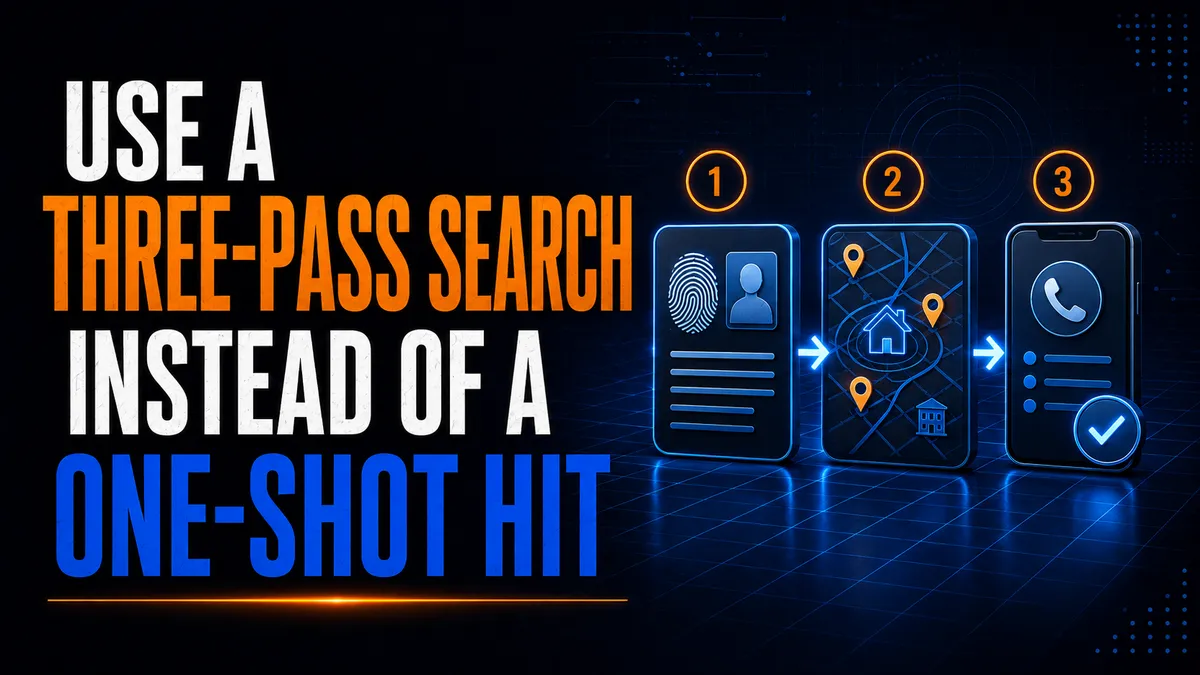
Use a Three-Pass Search Instead of a One-Shot Hit
You run a name through a database. One address pops up at the top. It's got a phone number, a car, a couple of relatives, and it looks solid. So you send a server out there. Nobody's heard of the guy. The lady who answers the door has lived there six years.
That's the one-shot hit, and it burns more miles than any other mistake in this business.
Skip tracing isn't a magic button that spits out where somebody sleeps tonight. It's research. And the best research I know happens in three passes: make sure you've got the right person, figure out where that person really is, and check whether your contact info is any good. Then you stop searching and go make a smart attempt.
By Mighty Mike Reid
Why the One-Shot Hit Fails
The one-shot hit goes like this. One database result comes back, somebody assumes it's right, and a server gets dispatched to that address. The whole job rides on one source being accurate and fresh. Most of the time it's neither.
That top result can belong to:
Somebody with the same or a similar name
A former resident
A relative or somebody they once roomed with
A phone number that's been disconnected
A business that closed
A mailing address they never lived at
A rental property they own but don't live in
Data copied over from an older source
An email nobody's checked in years
Here's the sneaky part. A result can look rock solid because it has a bunch of details, but every one of those details can come from the same old record. Five fields agreeing with each other isn't five confirmations. It can be one stale record repeated across five systems.
So split the search into stages, and write down why you decided what you decided at each one.
What a Three-Pass Search Actually Is
The three passes are a research method. They are not a promise to make three trips to the same house.
Identity. Is this the right person?
Location. Where is that person most likely to be found?
Contact. Are the phone numbers and emails real, current, and okay to use?
Keep that separate from your field attempts. How many times you go out and when depends on the client's instructions, the court deadline, your state's rules, safety, and what you learn along the way. With pro per clients I used to lay it out upfront: we're going to make three attempts at this one address, and if he doesn't answer, you get a declaration you can hand to your attorney or the judge. Any other address works the exact same way. Once I started doing that, I never had any other problems, because it was an upfront contract the client understood.
Before Pass One: Ask the Four Questions
Before I touch a database, I talk to the client. When an order came in, I asked the same questions every time. Do they work? What time do they work? What kind of car do they drive? And do you have a picture of them? With those answers I could serve almost everybody on the first attempt.
Those four answers are also your best filters on a skip trace. A schedule, a car, and a face cut through a stack of database results faster than anything you can buy.
Pass One: Verify Identity
The first pass settles who you're looking for. Start with the full legal name and whatever identifying details the client is allowed to give you.
Good identity info includes:
Middle name or initial
Prior names or aliases
Approximate age or date of birth
Previous addresses
Known relatives or associates
Current or past employers
Professional licenses
Business ownership
Known vehicles
Case-specific identifiers from the court file
The goal is to separate your person from everybody else with that name. A name and a city match is weak. A John Martinez in Albuquerque isn't a lead, it's a phone book. A name plus the right age range, a former address, a known relative, and a business connection is a real identity profile.
Faces matter here too. I had a restraining order once where I went through the subject's social media first. I could see a brand new Audi, I could see her in front of her dad's house, and I could figure out where she worked. The new Audi was sitting right in front of the radiology department. I went in and asked for her, and they brought out this gal who looked completely different than her pictures. Shorter, brown hair instead of blonde. But it was definitely her. She had a name badge on.
There's the online social look and there's the in-person look. If you only go off the glamour shots, you can walk away from the right person thinking you've got the wrong one.
When the info conflicts, write it down. Don't bury it. A note like "birth year doesn't match what the client gave us" tells the server exactly what to watch for before they knock.
Pass Two: Evaluate Location
Once you've got your strongest identity match, look at current and past locations. Compare home addresses, mailing addresses, business connections, property records, court filings, professional records, and any other lawful source you're authorized to use.
Give every address a confidence label:
High. One strong, current indicator backed by at least two independent signals.
Medium. Some recent support, but something important still isn't confirmed.
Low. Old, indirect, conflicting, or tied to your subject only through somebody else.
Always put a reason next to the label. "High" by itself tells the server nothing. "Shows up in a court filing from last month, matches a current business record, and the car the client described is registered here" tells them everything.
One strong address with two independent signals behind it beats ten weak possibilities. Sending a server to every low-confidence address piles on mileage, drags the job out, and puts you on the porch of people who have nothing to do with the case.
And use the free stuff right. Put the full name in quotes on Google and it keeps the name in that exact order, so you're not wading through every Mike and every Reid on the internet. Add "site:" and a website, like a county court site, and you only get results from that one site.
Pass Three: Evaluate Contact Info
The third pass looks at phone numbers, emails, and other contact channels you're allowed to use. You're checking whether they're current and whether they actually belong to your person.
Depending on your state's laws and your client's rules, check:
Whether the number is active
Whether it's a cell, a landline, or an internet number
Whether the voicemail greeting names your subject
Whether the email still delivers
Whether the info shows up in recent records
Whether it belongs to a business or a household
Whether anything restricts contacting this person
Now here's my take on actually calling people. I had an attorney client send me some new addresses because a few of the places we'd tried were bad. He gave me a phone number and asked, "Why aren't you guys calling them?" I told him, "Well, we can call them if you want us to, but usually we just make an attempt first just so they don't start evading." It's better to catch them off guard. A phone call to a guy who's dodging service is a heads-up.
So the contact pass is about verifying, not reaching out. If you do have to use a number, keep it short, professional, and neutral. Don't tell a stranger what the case is about, don't leave case details on a voicemail, and don't call over and over. If the info looks stale, stop and refresh your research instead of hammering a dead number.
And never pretend to be somebody you're not. One of the attorneys I worked for told me that giving a false representation can get the case thrown out. You do all that work finding the guy and the serve gets tossed because you lied about who you were. Not worth it.
Set a Stop Rule
More searching doesn't always mean better info. Without a stop rule, your team can spend all day re-reading the same weak data.
Here's a simple one. If two independent refreshes don't raise your confidence in the top address, stop searching and move the job to one of these:
A field attempt at the best-supported address
A call to the client for clarification
A review by a supervisor or investigator
A search through a different authorized source
Returning the job with the limits documented
A formal request for more instructions
Money's part of this too. I used to charge $75 or $150 for a skip trace, and you don't need Social Security numbers or anything like that to figure out where to serve somebody. When a job needs another address or another search, tell the client it's going to cost a little more per address and ask if that works for them. Communication up front saves you from the "why did you charge me for that" call later.
Whatever you decide, the file should show which sources you checked, when you checked them, how you matched the person, what conflicts were left, and why you picked the next step.
Use the Tools, Keep Your Judgment
Today's skip-tracing platforms can search huge data sets, enrich contact records, rank phone numbers, run lists in bulk, and connect people to addresses and businesses. Vendors differ a lot on data coverage, how much they can process at once, integrations, verification, compliance features, and how open they are about where the data comes from.
Vendor comparisons are handy for seeing what's out there. But check accuracy claims, credentialing requirements, permitted uses, security, contract terms, and legal compliance yourself before you sign up. Some of the big data companies make you do an office verification visit before they'll give you access. That's mostly for their own insurance purposes. It doesn't make their data any more accurate about where your guy sleeps tonight.
A confidence score from a platform is not a substitute for a human looking at the file. Somebody still has to decide whether the data fits the person, whether the address is current, and whether the info can lawfully be used for this job.
Protect Privacy on Every Pass
Privacy is part of good research. Use authorized sources, limit access to people who actually need it, and keep only what the job requires.
Keep sensitive data out of loose spreadsheets, personal email, random messaging apps, and field notes that anybody can pick up. Good habits:
Individual user accounts for every person on your team
Access based on role
A record of who searched what
Encryption for stored and sent data
No unnecessary exports
Deleting temporary working files
A retention policy you actually follow
Training everybody on permitted uses
Reporting anything that looks like unauthorized access
Even accurate info can get you in trouble if it's collected, shared, or kept the wrong way.
Connect the Search to the Field Attempt
Research only pays off when it helps the server make a better call at the door. Before dispatch, hand the server a short summary: who the subject is, the top address, the confidence level and why, known vehicles, safety notes, and any conflicts that are still open.
Don't dump a twelve-page report on them. Give them the details that help confirm identity and location.
And make sure the server knows what the client actually wants. I had a pro per lady send me an order by email, and then I couldn't reach her. I called, I texted, nothing. I had to get her on the phone before I attempted that address, because if her email said serve him at work and I go try him at home, when I give her a declaration she's going to say, "Why'd you try to serve him at the house?" Confirm it before you drive.
The field attempt also feeds the research. A vacant house, a stranger at the door, a new car in the driveway, or a property manager saying he moved out in March can all change your confidence. Write it down in plain facts and run another pass if you need to. That loop is how field notes turn into evidence instead of "no answer" on a proof.
For Attorneys and Firms Hiring a Server
If you're sending out a hard-to-find, here's how to get a faster serve and a cleaner affidavit.
Send what you know and where it came from. "His sister says he moved there last month" and "pulled from a database in 2022" are two very different leads. Tell your server which is which.
Answer the four questions. Work, hours, car, photo. Every one you answer saves an attempt you'd otherwise pay for.
Don't count repeat database hits as proof. Five sites with the same address can all trace back to one bad record.
Ask for confidence levels. A good server or skip tracer can tell you which leads are strong and which are long shots, so you know where your money's going.
Decide on calling up front. If you want the server to call the subject before attempting, say so, and know that it can tip off somebody who's already dodging.
Read the report for facts. "Resident stated the subject moved out in March" is a fact. "Subject is hiding" is a guess. Good servers keep those apart.
Where Mighty Process Server Fits
All three passes mean nothing if the notes live in a notebook in your truck. Mighty Process Server keeps it on the job: every attempt, your notes, GPS, and photos in one place. Every server on your team gets their own login, so you know who did what. Clients get their own private portal, so when an attorney asks why you skipped the address on the order, the answer's already there with a timestamp and a photo of the vacant lot.
When the job's done, the affidavit builds right from the job record, even from the mobile app. If it needs a notary, the Mighty Notary integration gets it signed and notarized right in the app.
When the Best Address Is Out of Town (or Out of the Country)
Sometimes all three passes point to one solid address, and it's three states away. Or overseas.
Mighty Process Server's address search covers more than 171,000 cities worldwide. Servers set their own prices area by area or upload a fee schedule as a CSV, and clients get an instant quote. So when the verified address turns out to be in Tulsa or London, you can find a local server there and order the serve on the spot. A local server knows the area and can do the field check in person, which is exactly what a medium-confidence address needs.
Quick Checklist
Ask the four questions first
Verify identity before location
Compare independent sources, not copies of the same record
Date every search
Label confidence and give a reason
Attempt before you call, unless the client says otherwise
Keep the research trail
Stop when more searching stops helping
Confirm the client's instructions before you drive
Update the file after every attempt
The Bottom Line
A good skip trace isn't the longest report or the one with the most phone numbers. It's the shortest route you can defend to the next smart, lawful attempt.
Three passes, a stop rule, and clean notes will save you trips, protect people's private info, and give your client a file they can actually trust. That beats a one-shot hit every time.
Be safe out there. Live Mighty!
Stay sharp. Stay informed. Live Mighty!
Read the full article at www.mightyprocessserver.com
This article is published by Process Server Daily, powered by MightyAutomation.ai, the leader in legal support intelligence.